Speak.
It types.
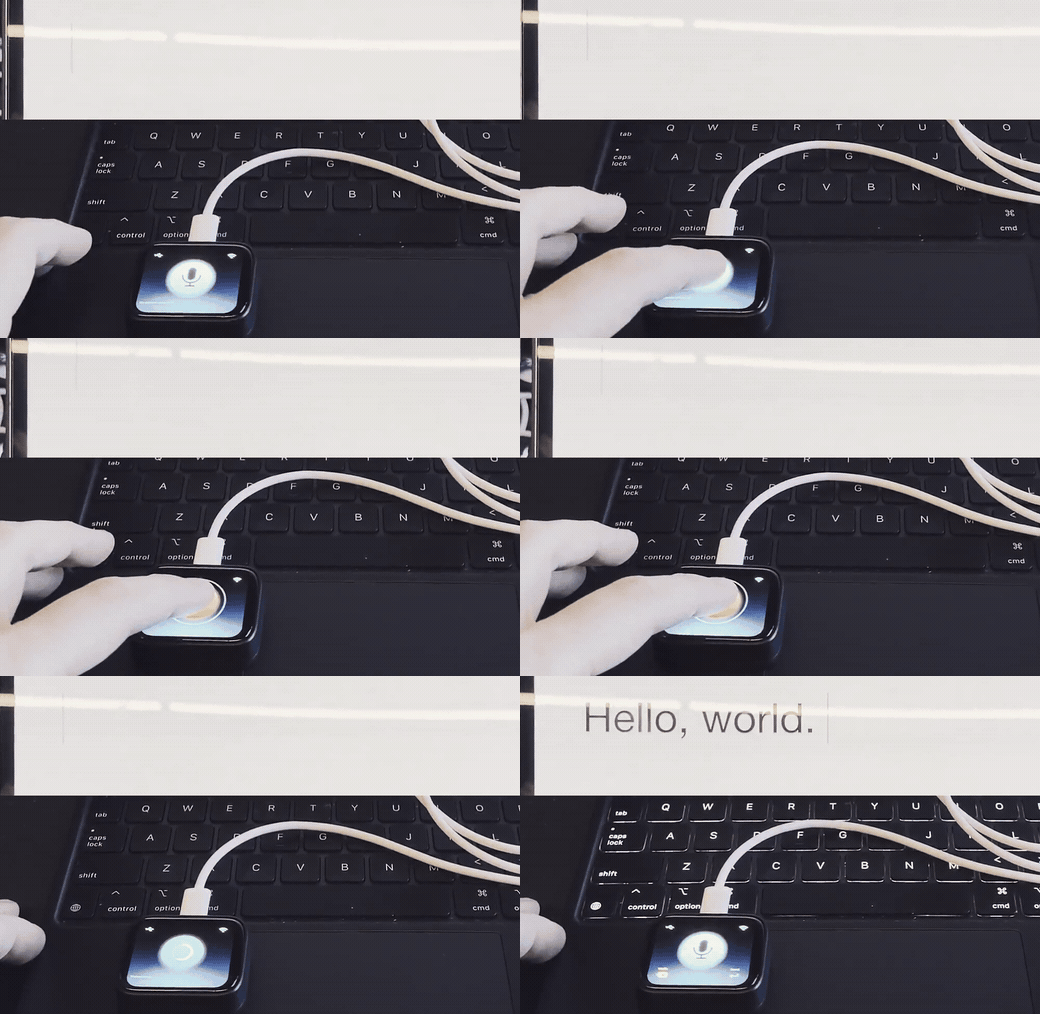
Hold the button, say your piece, let go. The words land wherever your cursor is — because the board is a standard USB keyboard. No desktop app, driver, or companion software.
Open this page in Chrome or Edge on a desktop.
https for the installer to run.
Takes about a minute · Needs a USB-C data cable · Configure your endpoint after flashing
How it goes
- Flash itPlug the board in, click the button above, pick it from the chooser.
- Scan the QR codeThe screen raises its own Wi-Fi network. Join it from your phone and a setup page opens by itself.
- Choose your transcriptionUse OpenAI, another compatible service, or your own server. Add an API key only when that endpoint needs one.
- Hold, speak, releaseThe transcript is typed into any host that accepts a USB keyboard. No driver or desktop app required.
See it work
Your service, your choice
- Use OpenAIThe default endpoint and model are ready for your own OpenAI key. ChatGPT subscriptions do not include API usage; create a dedicated project key, set a budget, and paste it during setup.
- Or use any compatible endpointEnter an OpenAI-compatible
/v1/audio/transcriptionsURL, its model name, and a key only if that server requires one.
Run it your way
TapTalk does not choose, operate, or bill for a transcription service. It sends your recording to the endpoint you configure, then types the returned text.
A server on your home network can use plain HTTP and no API key. Use HTTPS for every endpoint outside a trusted LAN.
Read this first
You need a V1 board
Waveshare sells two different boards under one name. Turn yours over: the
sticker must say SH8601 and FT3168. A V2 board
(CO5300 / CST816) flashes fine and then shows a
black screen.
There is no reset button
The power chip drives the reset line. If no device shows up in the chooser, hold BOOT, tap PWR, release BOOT, and click Install again. If it seems stuck afterwards, unplug and replug.
Your endpoint and API key are not encrypted
Anyone holding this board with a USB cable can read the endpoint and key from flash. Use a dedicated, limited key when your service needs one, and erase the device before you lend it. The reasoning, in full.
Chrome or Edge, on a desktop
Installing uses the Web Serial API, which Safari and Firefox do not implement. Once flashed, the device needs no browser at all.
What this build does
| Display, touch, and the hold-to-talk screen | works |
| Microphone capture, with a live level meter | works |
| Wi-Fi and on-device setup | works |
| OpenAI transcription over HTTPS | works |
| Custom OpenAI-compatible endpoint | hardware test next |
| Typing as a driverless USB keyboard | works |
| 10 keyboard layouts: English, Portuguese, Spanish, French, German, Italian | hardware test next |
Setup asks which layout the computer is set to; accents are typed with dead keys and "ação" arrives as written. Cyrillic and Greek are on the roadmap. Emoji are skipped rather than mangled.